

Software
Symphony Automate
An accelerator component for AI agent powered workflow — valuation runs, ETL, reconciliations, reporting cycles — deployed inside an engagement, on your environment.
What it improves
Recurring processes are still run by someone clicking through a runbook. When something fails, the recovery is manual, slow and stressful. Schedules are not enforced. Dependencies between jobs are tracked in spreadsheets, if at all. Anomalies surface late — usually after the close.
What it does
- AI agents drive the workflow. Grounded in your governed data, agents trigger jobs, flag anomalies, propose re-runs and write the run narrative. A named human reviewer signs every output that leaves the platform — the agent does not.
- Every agent action is reversible. Each database and code change an agent makes is versioned and undoable — roll back a single step or a whole agent session in one click. The agent can act inside the platform precisely because nothing it does is permanent; a named reviewer still signs anything that leaves.
- Orchestrate jobs across actuarial engines, ETL, data platforms and reporting tools as a single, audited workflow.
- Schedule, monitor and re-run with full observability — every action logged with timestamp and owner.
- Express dependencies between jobs as code, not as folklore.
- Alerting and on-call integration for failures, with AI-agent-drafted first-pass diagnostics for the named reviewer.
- Designed for the rhythm of actuarial and finance cycles (close calendars, valuation dates, run-types) rather than generic IT scheduling.
- Sits alongside the actuarial engines you already operate and orchestrates the cycle they do not.
- Shares the common architecture across the platform: API, lineage, role-based access, observability.
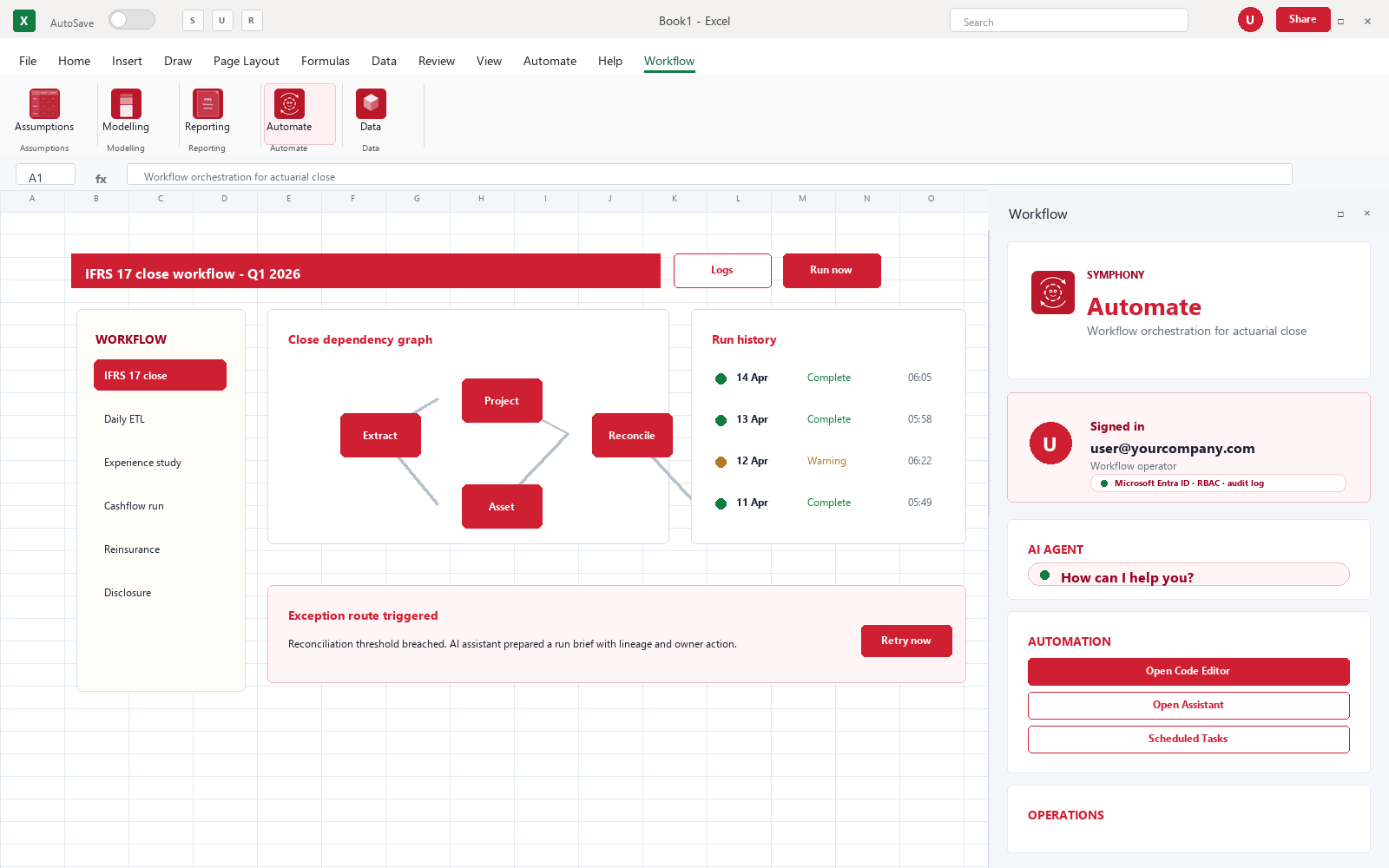
- Available inside Excel, on the web, and via the API — actuaries work in the tool they already know, with full audit trail back to the platform.
In your environment
Real software, in the tool your team already uses.
Controls and audit
Every run, every retry and every manual intervention is logged with timestamps, owners and outcomes. Every database and code change an agent makes is reversible — one-click rollback of a step or a whole session.
Engagement model
Deployed inside an engagement, on your environment, with documented handover. We do not licence this as a standalone product. In-engagement deployment of a first critical workflow has typically landed inside 4 to 8 weeks on engagements we have run, then expands — actual timing depends on scope, source-system access and the team’s review capacity. If you want to take the component forward, you take it — full source, docs, supported handover.
Want to see it run?
A 30-minute walk-through, with your real reporting questions in mind.